AI Coding Agents in 2026: Claude Code vs Codex vs Gemini CLI — The Complete Developer Guide
15+ AI coding CLI tools now compete for developers.
AI Coding Agents in 2026: Claude Code vs Codex vs Gemini CLI — The Complete Developer's Guide
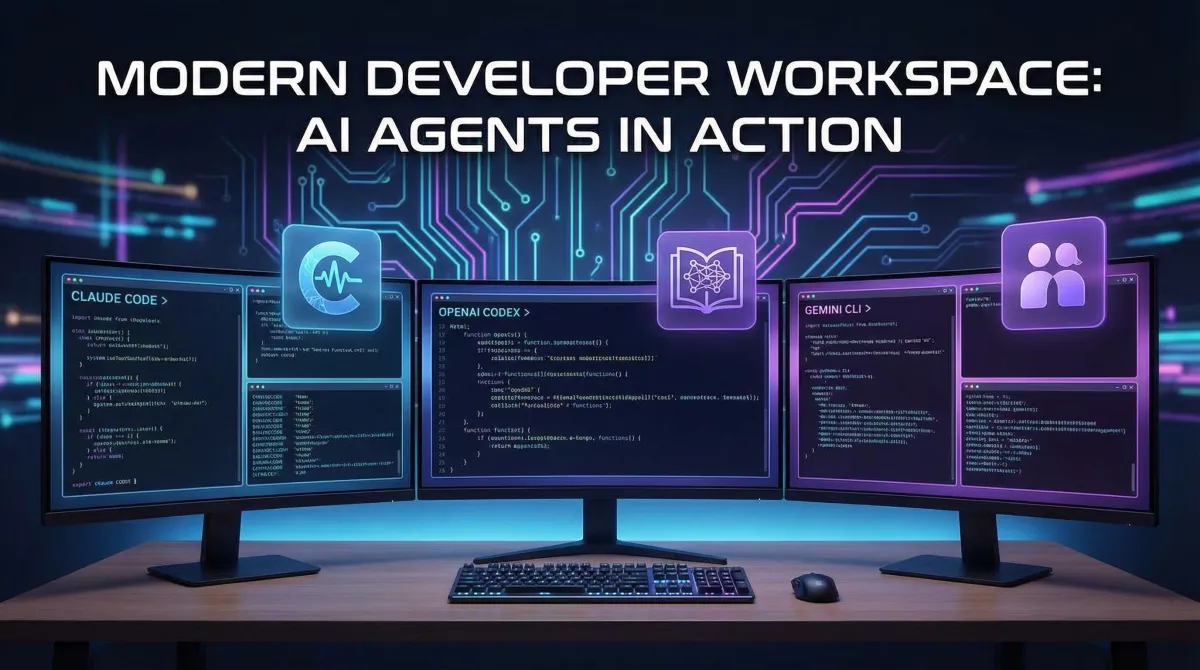
The developer tools landscape transformed dramatically in early 2026. With over 15 CLI-based AI coding agents now competing for terminal space, developers face a sophisticated decision: which AI pair programmer deserves a permanent alias in your .zshrc? This comprehensive guide compares the leading contenders—Claude Code (Anthropic), OpenAI Codex 5.3, Google Gemini CLI, and notable alternatives—using real benchmarks, pricing data, and workflow recommendations gathered from February 2026.
What Are AI Coding Agents and Why Do They Matter in 2026?
AI coding agents are command-line tools that leverage large language models to write, refactor, debug, and explain code directly in your terminal. Unlike traditional code completion, they understand full project context, execute multi-file refactors, interact with git repositories, and reason through complex architectural decisions. By January 2026, AI generates approximately 30% of Microsoft's code and over 25% of Google's, making these tools essential rather than experimental for professional development teams.
The shift from "autocomplete on steroids" to "autonomous coding partner" happened faster than most predicted. Modern agents don't just suggest—they plan, execute, and validate changes across entire codebases while maintaining context windows exceeding one million tokens.
Which AI Coding Agents Lead the Market in 2026?
Three major tech companies and several independent teams dominate the space:
Big-Lab Tools:
- Claude Code (Anthropic) — Best UX, exceptional at complex refactors and git workflows
- Codex 5.3 (OpenAI) — Superior raw coding and debugging capability, more hands-on management required
- Gemini CLI (Google) — 60 requests/minute free tier, 1M token context window, 1000 requests/day limit
- GitHub Copilot CLI (Microsoft) — Deeply integrated with GitHub ecosystem
Independent Alternatives:
- Aider — Open-source, supports multiple model backends
- Amp (Sourcegraph) — Enterprise-focused with private codebase training
- Warp — Built into Warp terminal with visual command suggestions
- Augment CLI — Specializes in legacy codebase modernization
- Goose (Block) — Optimized for financial services compliance
- OpenCode — Community-driven, AGENTS.md configuration standard pioneer
According to Tembo's comprehensive comparison, the market expanded from 8 viable options in late 2025 to 15+ production-ready tools by February 2026.
How Do Claude Code and Codex 5.3 Compare Head-to-Head?
Both Opus 4.6 and Codex 5.3 launched on February 5, 2026, making direct comparison crucial:
| Feature | Claude Code (Opus 4.6) | OpenAI Codex 5.3 |
|---|---|---|
| Best Use Case | Complex refactors, git workflows | Raw coding, debugging algorithms |
| Context Window | 200K tokens (standard) | 128K tokens (standard) |
| UX Philosophy | Conversational, minimal config | Powerful but requires explicit direction |
| Multi-file Edits | Excellent (tracks dependencies) | Very good (occasionally misses edge cases) |
| Pricing | $20/month Pro, usage-based API | $20/month Plus, usage-based API |
| Learning Curve | Gentle (works out-of-box) | Moderate (benefits from prompt tuning) |
| Error Recovery | Proactive suggestions | Reactive (waits for user instruction) |
Builder.io's analysis notes that Claude Code "feels like collaborating with a senior developer who reads documentation," while Codex 5.3 "acts like a brilliant junior who needs clear instructions but executes flawlessly when guided properly."
For teams prioritizing ease of adoption and git-aware refactoring, Claude Code edges ahead. For algorithmic problem-solving and debugging complex logic, Codex 5.3 demonstrates measurably better performance.
What Makes Gemini CLI a Compelling Free Alternative?
Google's Gemini CLI offers unprecedented free-tier generosity:
- 60 requests per minute (vs. most competitors' ~20)
- 1,000 requests per day
- 1 million token context window (largest free offering)
- No credit card required for basic tier
This makes Gemini CLI ideal for:
- Student projects and learning environments
- Open-source development with budget constraints
- Prototyping before committing to paid tiers
- Multi-repository exploration leveraging the massive context window
Trade-offs include slightly lower code quality on complex refactors compared to Claude/Codex, and less polished error handling. For workflows involving documentation-heavy projects or large monorepos, the context window advantage often outweighs these limitations.
What Is the Model Context Protocol and Why Does It Matter?
The Model Context Protocol (MCP) emerged as the de facto standard for agent-to-tool communication in early 2026. Built on JSON-RPC 2.0 and inspired by the Language Server Protocol (LSP), MCP enables:
- Standardized tool discovery across editors and agents
- Secure credential management for API integrations
- Cross-platform agent portability
- Composable developer workflows
Google released an MCP server for developer documentation in February 2026, allowing agents to query official docs, Stack Overflow, and internal wikis through a unified interface. O'Reilly simultaneously published "The MCP Standard" book, cementing its role in the ecosystem.
Optijara recommends prioritizing MCP-compatible tools for future-proof workflows. All major coding agents (Claude Code, Codex, Gemini CLI, Copilot CLI) now support MCP natively.
What Is AGENTS.md and Should You Use It?
AGENTS.md is an emerging configuration standard that defines agent behavior, tool access, and project-specific instructions in a single markdown file at your repository root. Adopted by Cursor, OpenAI Codex, and OpenCode, it enables:
# AGENTS.md Example
## Project Context
This is a Next.js 15 app using TypeScript, Tailwind, and Vercel Postgres.

## Code Style
- Use functional components with TypeScript interfaces
- Prefer server components unless client interactivity required
- All API routes must include error handling and rate limiting

## Restricted Actions
- Never modify files in /migrations/ without explicit approval
- Always run tests before suggesting commits
Benefits include:
- Team consistency — All developers' agents follow identical guidelines
- Onboarding acceleration — New agents understand project conventions instantly
- Version control — Agent instructions evolve with your codebase
Optijara recommends creating an AGENTS.md for any project with 3+ contributors or complex architectural decisions.
How Do Pricing Models Compare Across Leading Tools?
| Tool | Free Tier | Paid Individual | Enterprise |
|---|---|---|---|
| Gemini CLI | 60 req/min, 1K/day | $20/mo (unlimited) | Custom |
| Claude Code | Limited trial | $20/mo Pro | Custom API pricing |
| Codex 5.3 | 10 req/day | $20/mo Plus | Custom API pricing |
| GitHub Copilot CLI | None | $10/mo (bundled) | $19/user/mo |
| Cursor | 50 req/mo | $20/mo (model switching) | $40/user/mo |
| Aider | Free (BYO API key) | N/A (open-source) | Self-hosted |
For individual developers: Gemini CLI offers the best free tier for experimentation, while Claude Code or Codex 5.3 justify $20/month for professional workflows.
For teams: Cursor's model-switching capability ($20/month individual, $40/month enterprise) allows developers to use Claude for refactors, Codex for debugging, and Gemini for documentation—all within one session.
Which Agent Should You Choose for Your Workflow?
Choose Claude Code if you:
- Prioritize ease of use and minimal configuration
- Frequently perform complex, multi-file refactors
- Work heavily with git (branching, cherry-picking, conflict resolution)
- Value conversational interaction over explicit commands
Choose Codex 5.3 if you:
- Solve algorithmic or performance-critical problems
- Debug low-level systems or optimize hot paths
- Don't mind providing detailed context in prompts
- Need the absolute best raw coding capability
Choose Gemini CLI if you:
- Need generous free tier limits for learning or open-source work
- Work with large monorepos or documentation-heavy projects
- Want to explore AI coding without financial commitment
- Require high request throughput (60/minute)
Choose Cursor if you:
- Want to switch models mid-session based on task type
- Prefer a GUI-enhanced terminal experience
- Work on commercial projects justifying $20-40/month budget
- Value ecosystem integrations (Figma, Linear, GitHub Projects)
Choose Aider or Augment CLI if you:
- Work with legacy codebases requiring specialized modernization
- Need open-source tools for compliance or air-gapped environments
- Have specific model preferences not offered by big-lab tools
- Require extreme customization of agent behavior
What Are the Security Considerations for AI Coding Agents?
MCP security resources highlight three critical areas:
Credential Leakage — Agents may inadvertently include API keys or secrets in code suggestions. Use environment variable templates and
.env.examplefiles to guide proper handling.Code Injection — Malicious prompts can trick agents into generating backdoors. Review all agent-generated code before committing, especially in authentication and data validation logic.
Context Exposure — Large context windows mean agents see entire codebases. Ensure proprietary algorithms or sensitive data aren't sent to external APIs. Enterprise plans often include SOC 2 compliance and data residency guarantees.
Optijara recommends:
- Enabling audit logging for all agent interactions
- Using MCP's credential isolation features
- Requiring human review for production deployments
- Restricting agent file system access via configuration
What's Next for AI Coding Agents in 2026?
Three trends dominate the roadmap:
1. Agentic Planning: Future versions will break complex tasks into subtasks autonomously, executing multi-day refactors with minimal human oversight.
2. Multi-Modal Development: Expect agents that interpret design mockups (Figma, Sketch) and generate production-ready UI components—already demonstrated in limited beta programs.
3. Team Collaboration: Agents will soon coordinate with each other, allowing your Claude Code instance to delegate frontend work to a specialized CSS agent while handling backend logic itself.
The "vibe coding" era—where developers describe intent conversationally rather than writing explicit syntax—accelerates throughout 2026. As MIT Technology Review noted, we're approaching a reality where junior developers spend more time reviewing AI code than writing it from scratch.
Frequently Asked Questions
Can AI coding agents replace human developers in 2026?
No. While AI generates 25-30% of code at major tech companies, human developers remain essential for architecture decisions, edge case handling, security review, and understanding business requirements. AI agents accelerate implementation but don't replace strategic thinking or domain expertise. The most effective teams use AI to eliminate boilerplate and routine debugging, freeing developers to focus on complex problem-solving.
Do I need to learn prompt engineering to use these tools effectively?
For Claude Code and Gemini CLI, minimal prompt engineering is required—they work well with natural conversational language. Codex 5.3 and some specialized tools (Augment, Goose) benefit from structured prompts but don't require expert-level skills. Most developers gain proficiency within 2-3 days of regular use. The AGENTS.md standard also reduces per-request prompting by encoding project context once.
Are AI coding agents compatible with my existing editor?
Yes. All major agents (Claude Code, Codex, Gemini CLI, Copilot CLI) work as standalone CLI tools that operate independently of your editor. They modify files directly, which your editor (VS Code, Neovim, IntelliJ) detects via file system watches. Cursor is the exception—it's a fork of VS Code with integrated agent UI. MCP support is coming to VS Code, JetBrains IDEs, and Neovim throughout 2026, enabling tighter native integration.
How do these compare to GitHub Copilot's inline suggestions?
GitHub Copilot provides inline code completion within your editor, while CLI agents (Claude Code, Codex, Gemini CLI) handle larger tasks like multi-file refactors, architecture changes, and git operations. They're complementary tools: use Copilot for line-by-line coding and CLI agents for project-level work. GitHub Copilot CLI (different from inline Copilot) is Microsoft's entry into the autonomous agent space, competing directly with Claude Code and Codex 5.3.
What happens to my code privacy when using these tools?
Free tiers and basic plans typically send code to cloud APIs for processing, which may be used for model training (policies vary by provider). Enterprise plans often include data residency guarantees, opt-out from training, and SOC 2 compliance. Open-source tools like Aider can run entirely locally if you self-host compatible models. Review each provider's terms—Anthropic and OpenAI offer enterprise data protection agreements; Google's free tier has more permissive data usage policies. For highly sensitive codebases, consider self-hosted solutions or air-gapped environments.
This guide reflects the AI coding agent landscape as of February 2026. For the latest updates on developer tools and AI-assisted workflows, visit Optijara's blog regularly.
Written by
Optijara AI